AI-run cyberattacks, a 5GHz Snapdragon, and the chat app that actually protects you
Today: Anthropic's threat report shows AI agents running attacks on their own, Qualcomm sets a Sept 22 date for the world's first 5GHz mobile chip, a hidden Windows 'God Mode' trick, the honest WhatsApp vs Telegram vs Signal privacy verdict, and a 60-second SIM PIN that blocks account theft.
- commentary
AI is now writing the cyberattacks
Anthropic's September 2026 threat report is a wake-up call. AI agents are being wired into multi-step frameworks that run cyberattacks, scams and even model theft largely on their own, at machine speed. Anthropic's verdict: cybersecurity is at a 'critical inflection point.' 🔐 The scary part isn't smarter AI, it's that the barrier to a serious attack just dropped to 'can you write a prompt.'
- The problem
- For years, running a large, multi-stage cyberattack needed skilled human operators at every step, which kept serious campaigns mostly in the hands of well-resourced groups. That labor-and-tooling gap was one of the few things slowing lower-resource attackers down.
- What changed
- Anthropic's Sept 2026 report, 'Detecting and countering misuse of AI,' documents operations disrupted between Dec 2025 and Aug 2026 across seven harm areas, from autonomous cyber operations and surveillance to scams and illicit model distillation. In several cases AI agents handled most stages of an attack, with humans only picking targets and reviewing results, and the report flags that AI is being embedded in autonomous, multi-agent frameworks executing at machine speed.
- The catch
- This is Anthropic's own threat intelligence, focused on activity involving its models, so it is one vendor's view rather than an industry-wide count. The report also stresses these operations were detected and disrupted, and that defenders are using the same AI advances, so it's an escalation, not a checkmate.
- What it means for you
- Treat the boring basics as non-negotiable now: unique passwords in a manager, phishing-resistant 2FA (passkeys or an authenticator, not SMS), and healthy suspicion of unusually polished, personalized scam messages, because AI makes those cheap to mass-produce.
- news
Your next phone's brain lands Sept 22
Mark it: Sept 22-24, Qualcomm unveils the Snapdragon 8 Elite Gen 6 (plus a 'Pro' variant) at Snapdragon Summit in Maui. It's teased as the world's first 5GHz mobile CPU, built on 2nm, and it's the brain that'll power your 2027 flagships like the Galaxy S27, OnePlus 16 and iQOO 16. ⚡️ My take: raw GHz sells headlines, but efficiency and thermals decide real-world speed.
- The problem
- Every year the flagship chip sets the ceiling for what next year's phones can do, but the marketing leans hard on peak numbers that rarely survive real-world heat, leaving buyers guessing which gains are real.
- What changed
- Qualcomm has officially confirmed Snapdragon Summit for Sept 22-24, 2026, where it's expected to launch the Snapdragon 8 Elite Gen 6 and a Gen 6 Pro. Teasers point to the world's first 5GHz mobile CPU on a 2nm process, with the Pro variant getting LPDDR6 memory and a newer Adreno GPU. These chips are tipped to power the Galaxy S27 series, OnePlus 16, iQOO 16 and more.
- The catch
- The Sept 22-24 date is official, but the headline specs (5GHz, 2nm, memory and GPU details) are still teasers and leaks until Qualcomm confirms them on stage. Peak clock speed also says little on its own, sustained performance under heat is what you actually feel.
- What it means for you
- If you're eyeing a 2027 flagship, wait for the Summit before buying, then judge the chip on independent battery and sustained-performance tests, not launch-day benchmark charts.
- tip
Unlock Windows 'God Mode'
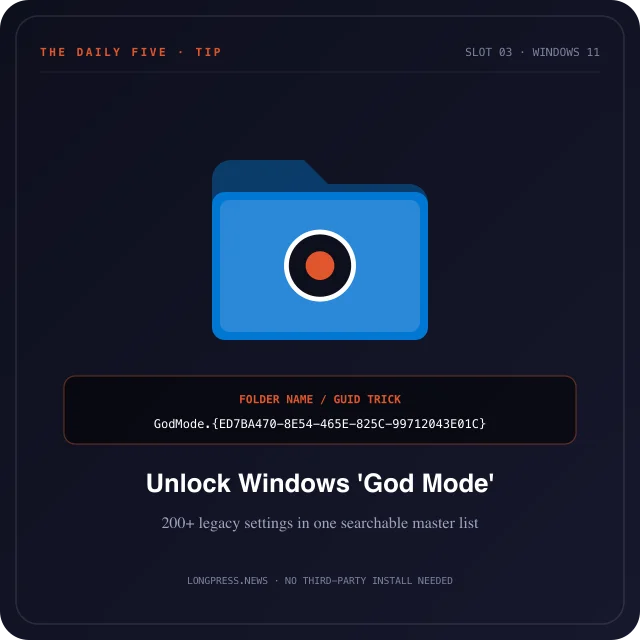
Folder shortcut trick reveals all 200+ control settings in a single master window. Windows has a hidden 'God Mode' and it's genuinely useful. Make a new folder, then rename it to exactly: GodMode.{ED7BA470-8E54-465E-825C-99712043E01C}. The folder instantly becomes one master list of every Windows setting, display, backup, network, the lot, with no menu-digging. 🔧 Works on Windows 10 and 11, and the word before the dot can be anything you like.
- The problem
- Windows settings are scattered across the new Settings app and the old Control Panel, so finding a specific toggle often means hunting through several menus.
- What changed
- Create a new folder and rename it to GodMode.{ED7BA470-8E54-465E-825C-99712043E01C}. Windows recognizes that special code and turns the folder into a single scrollable list of nearly every configuration option on the system, grouped by category. It's a long-standing built-in feature, no download or admin hack required.
- The catch
- The text before the dot can be anything, but the code inside the braces must be exact, one wrong character and it just stays a normal folder. It's a shortcut to existing settings, not new powers, so it won't unlock anything you couldn't reach the long way.
- What it means for you
- Keep one 'God Mode' folder on your desktop as a power-user launcher for Windows settings, it turns multi-click hunts into a single search-and-scroll.
- comparison
Which chat app actually protects you?
WhatsApp vs Telegram vs Signal, the honest privacy verdict. WhatsApp is end-to-end encrypted by default, but Meta still collects metadata (who you talk to, and when). Telegram's regular cloud chats are NOT end-to-end encrypted, only its opt-in 'Secret Chats' are. Signal is E2EE by default and collects almost no metadata. 🛡️ Verdict: for convenience, WhatsApp; for maximum privacy, Signal; Telegram shines for big communities, not secrecy.
- The problem
- 'Encrypted' gets slapped on almost every messaging app, so most people assume all three protect them equally, when what's actually encrypted, and what data the company still keeps, differs a lot.
- What changed
- Line them up on privacy and the picture clears: WhatsApp uses strong end-to-end encryption by default (via the Signal protocol) but Meta retains metadata about your contacts and timing. Telegram's default cloud chats are encrypted in transit and on its servers, not end-to-end, only 'Secret Chats' are E2EE and they're one-to-one and opt-in. Signal is E2EE by default and is built to hold almost no metadata about who you talk to.
- The catch
- Metadata isn't the message, but who-you-talk-to-and-when can be revealing on its own. And the 'most private' app only helps if the people you message are actually on it, so real-world privacy often comes down to your contacts, not just the tech.
- What it means for you
- Match the app to the need: use Signal for anything genuinely sensitive, keep WhatsApp for everyday reach, and if you're on Telegram, remember normal chats aren't E2EE, switch to a Secret Chat when it matters.
- tip
Lock your SIM in 60 seconds
A 60-second security win almost nobody bothers with: set a SIM PIN. If your phone or SIM is stolen, a thief can pop that SIM into another device, catch your bank and email OTPs, and reset your accounts. A PIN-locked SIM is useless to them. 📱 iPhone: Settings > Cellular > SIM PIN. 🤖 Android: Settings > Security > SIM card lock. Set it now, and change the default PIN.
- The problem
- Most phone security stops at the lock screen, but your SIM is a separate key: moved into another phone it keeps receiving your SMS OTPs, which is exactly what attackers need to take over bank and email accounts.
- What changed
- A SIM PIN locks the SIM itself, so it can't be used in any device until the PIN is entered, even if it's physically removed from your phone. It's a built-in setting: iPhone under Settings > Cellular > SIM PIN, Android under Settings > Security > SIM card lock, and it takes under a minute to turn on.
- The catch
- You must change the carrier's default PIN (often 0000 or 1234) or it offers little protection, and entering it wrong too many times locks the SIM until you get a PUK code from your carrier, so save the PIN somewhere safe. It guards the SIM, not app-based OTPs, so keep using an authenticator app where you can.
- What it means for you
- Set a SIM PIN today on every phone in your household, pick a non-default code, and store it in your password manager so a stolen phone can't be used to hijack your number.